Pay toll in bKash & get offer
Validity: Till 31 DECEMBER 2026
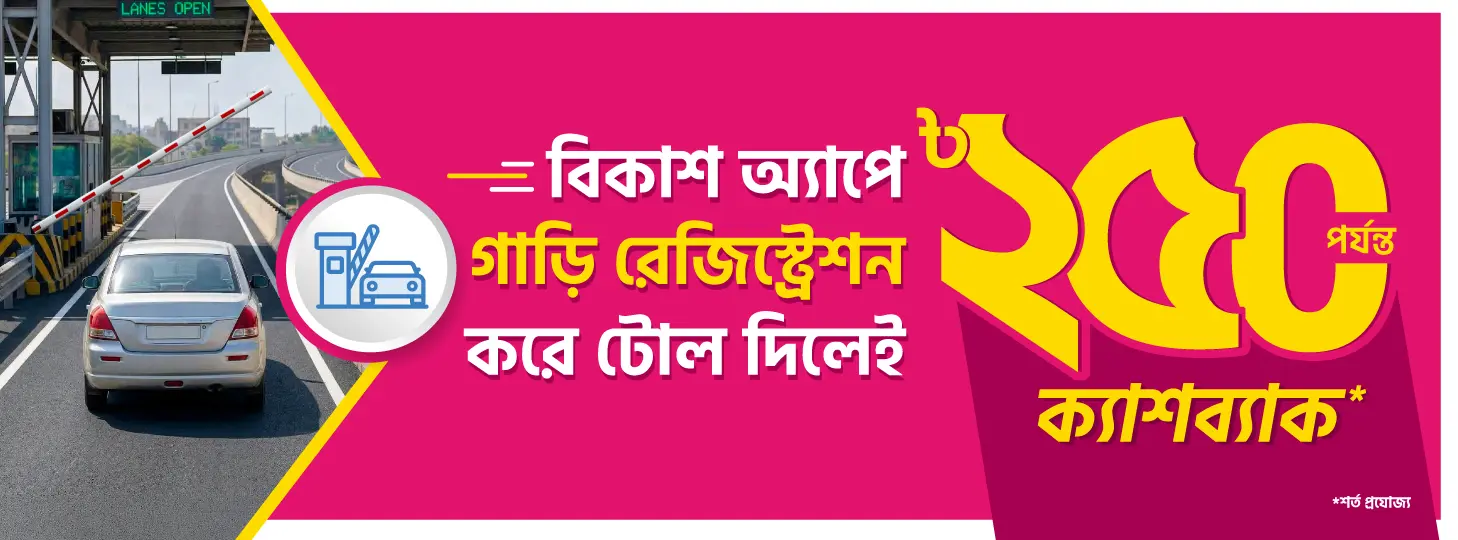
Pay toll through bKash App and get up to ৳250 cashback
Register your car on bKash to avoid stopping at toll booths! Get ৳50 cashback on registration and 10% cashback on each toll payment up to ৳50, to a total of ৳200 during the offer period.
Offer Validity
December 31, 2026
Offer Details
- Get ৳50 cashback upon registering your vehicle in bKash
- Get 10% cashback, up to ৳50 on each toll payment; up to ৳200 during the offer period
- To qualify for this campaign offer, a customer may register only one (1) vehicle and each registered vehicle may be linked to only bKash account. Any additional vehicle registrations under the same customer or the registration of a single vehicle with multiple bKash accounts, shall be deemed ineligible.
Offer applies to these bridges:
Terms & Conditions
bKash customers with active account status and sufficient balance can enjoy the offer by making payment from his/her bKash account.
- In order to receive cashback, account status and incoming transaction of customer account must be active. If cashback disbursement fails due to customer account status issues, customers will not receive cashback for the campaign.
- In case cashback disbursement fails due to any unknown/unforeseen reason except for customer account status issue, bKash will retry cashback disbursement manually with three intervals within 2 months after the campaign. If all attempts fail, no other attempt will be made and customers will no longer be entitled for the cashback of the campaign.
- Customer is entitled to instant cashback for successful transaction (payment to select merchants in the campaign period) from his/her bKash account.
- bKash reserves the right to change/modify campaign terms & conditions, merchant/outlet participation in any manner or cancel the entire campaign at any time without giving any prior notice.
- bKash reserves the right to cancel cashback payout if the particular transaction and/or the customer transaction behavior raises reasonable suspicion that the customer has abused the benefit of the campaign.
- bKash is neither liable nor responsible for the merchant's inability to ensure availability or delivery of product since bKash is only providing a payment service to the customer. Any reimbursement from merchant to the customer due to non-delivery of product shall not invalidate the respective transaction and therefore does not bind bKash to reinstate customer’s cashback eligibility limit disregarding the particular transaction for the campaign period. The cashback offer for that particular transaction shall be considered consumed accordingly.
- In case a customer makes a wrong payment, bKash will address the issue after the campaign period based on customer claim and validation.
FAQ
- What is the duration of this campaign offer?
– The offer is valid from December 31, 2026, 23:59:59 hours - What is the cashback?
– Customers will get ৳50 for vehicle registration and 10% cashback, up to ৳50 on each toll payment, up to ৳200 during the offer period. - How many times can I get the cashback?
– During the campaign, a customer can enjoy cashback once on registration and four times on toll payments. - In which channel can I make this payment to get the cash back?
– Toll Pay from the bKash App. - Does my account need to be in ‘Active Status’ to receive cash back?
– In order to receive cashback, account status and incoming transaction of customer account must be active. If cash back disbursement fails due to customer account status issues, customers will not receive cashback for the campaign. - Will I receive cash back if my payment is successful?
– If your payment is valid, bKash recognizes the transaction as authentic and the incoming transaction of your account is active, you will receive cashback. However, bKash reserves the right to cancel cashback payout if the particular transaction and/or your transaction behavior raises reasonable suspicion that you have abused the benefit of the cashback campaign. - Is there any chance that my cash back will be delayed? If yes, what should I do?
– Registration cashback will be disbursed in 10 working days.
– Recharge cashback will be disbursed instantly.
– There could be unanticipated cases where cashback payment would be delayed due to unknown/unforeseen issues. If you do not receive your cashback, you can call 16247 or approach bKash Customer Care center, bKash Customer Care Facebook page, Web chat (Live chat service) as well as send e-mail to [email protected] to know details about it. - Which channel can customers use to pay tolls via bKash?
– Currently, customers can pay toll fees only through the bKash customer App. - Can tolls be paid through bKash by dialing *247#?
– No. Customers cannot pay toll fees by dialing *247# or through any method other than the bKash App. - Where can customers find the ‘bKash Toll’ service?
– Customers can find the ‘bKash Toll’ service on the home screen of the bKash customer app along with other main services. - How can customers use ‘bKash Toll’?
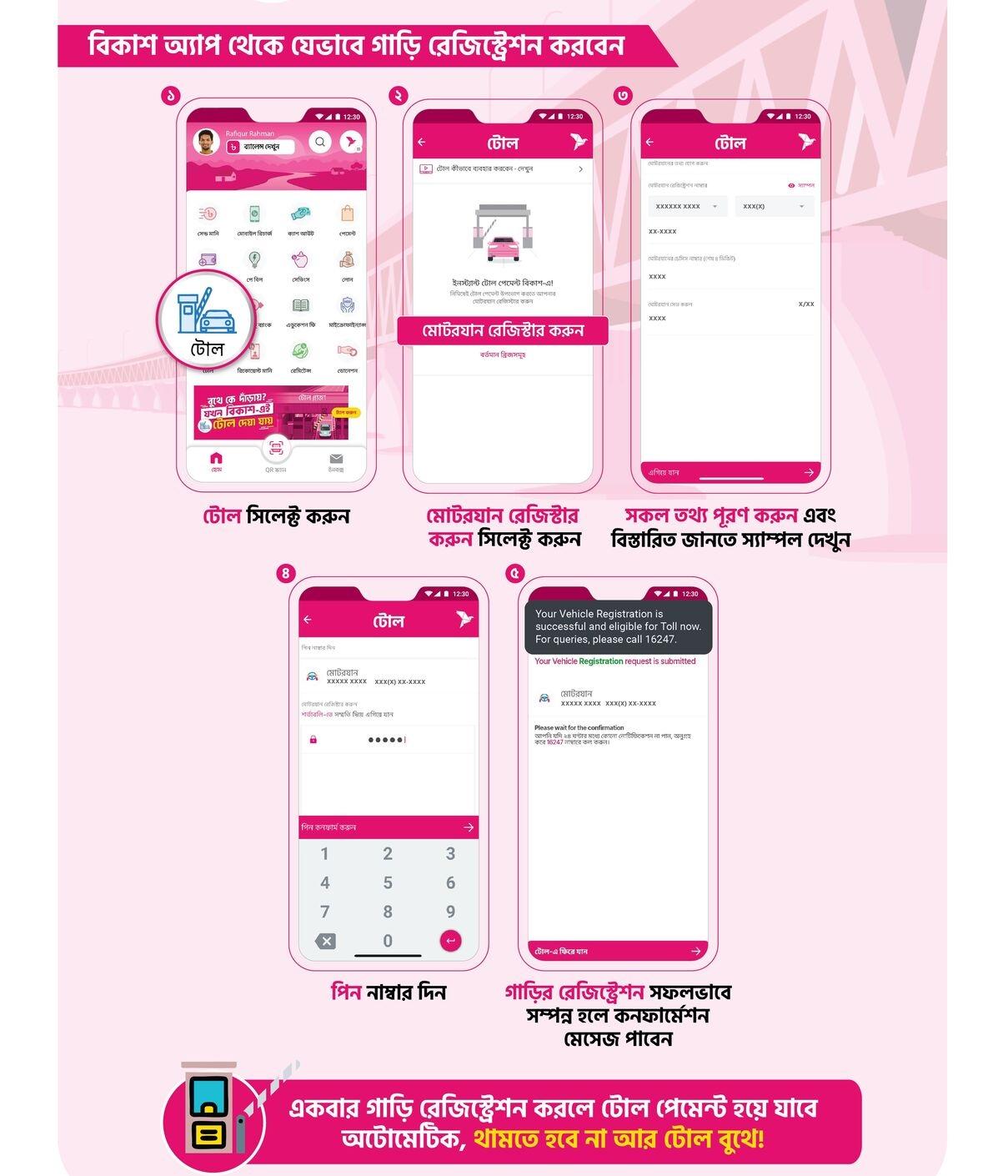
– To use bKash Toll, customers must first register their vehicle in the app. - What types of vehicles can be registered to use ‘bKash Toll’?
– Customers can register Sedan, Private Car, SUV, and MPV (Microbus) type vehicles. - Can customers register motorbikes/motorcycles for bKash Toll?
– No, motorbikes/motorcycles cannot be registered for bKash Toll at this time. - Which BRTA serial numbers are accepted for bKash Toll registration?
– The following BRTA serial numbers are accepted:- KA
- KHA
- GA
- GHA
- CHA
- CAA
- BHA
- ZA
- RA
- THA
- JA
- JHA
- BA
- MA
- SHA
- AU
- U
- NA
- DA
- TA
- How many vehicles can a customer register in bKash Toll?
– Currently, a customer can register up to 20 vehicles. - What information is required to register a vehicle?
– To register a vehicle, customers must provide:
• Vehicle serial number
• Vehicle chassis number - Can customers cancel vehicle registration if they no longer want to use bKash Toll?
– Yes. Customers can cancel vehicle registration from the Toll option in the bKash app menu. They can view registered vehicles, tap on the vehicle they want to remove, and use the ‘Delete’ button on the details screen. - What happens at the toll plaza once a vehicle is registered?
– During registration, customers complete PIN verification and agree to bKash’s terms and conditions. As a result, toll fees are automatically deducted from the customer’s bKash account without any direct interaction. When the vehicle crosses a toll plaza, the required toll fee is deducted automatically, allowing the customer to pass without using their phone. - What should a customer do if they receive a ‘Re-register’ notification repeatedly?
– Repeated ‘Re-register’ notifications mean the vehicle (or account) is already registered with another mobile financial service for toll payment. To use bKash Toll, the customer must first cancel the vehicle registration from that service and then tap ‘Reapply’ in the bKash Toll section. - Which bridges/toll plazas support bKash Toll?
– Currently, bKash Toll is available at the following locations:
1. Shahid Mayez Uddin Bridge Narsingdi.
2. Meghna-Gomoti Bridge (Meghna Toll Plaza) Narayanganj.
3. Meghna-Gomoti Bridge (Gomoti Toll Plaza) Narayanganj.
4. 3RD Shitolokha Bridge Narayanganj. (Bir Muktijoddha AKM Nasim Osman Bridge).
5. Sayed Nazrul Islam Bridge (Bhairab Bridge) Bhairab.
6. Charsindur Toll Plaza Narsingdi.
7. Madhumati Bridge Toll Plaza (Kalna Bridge) Kalna.
8. Karnaphuli Bridge Toll Plaza (Shah Amanat (RA) Bridge) Chottogram.
9. Rupsha Toll Plaza (Khan Jahan Ali Bridge) Khulna.
10. Paksey Toll Plaza (Lalon Shah Bridge) Kushtia.
11. Atrai Toll Plaza (Hatikamrul- Banpara New Road) Natore.
12. HZ Shahparan Bridge Toll Plaza Sylhet.
13. Paira Bridge Toll Plaza (Lebukhali Bridge) Barisal- Patuakhali RD.
14. 8th Bangladesh-China Friendship Bridge (Bekutia Bridge) Pirojpur.
Customers will be notified in the bKash app if new bridges or toll plazas are added. - Can customers disable the ‘Auto Deduct/Debit’ feature while crossing toll plazas?
– No, the ‘Auto Deduct/Debit’ feature cannot be disabled. - What should a customer do if toll fees are deducted but the toll officer claims payment was not made?
– Customers can show the transaction ID, statement, and app notification from the bKash app to the toll officer. If the issue is not resolved, customers are advised to call 16247. - Where can customers check their payment?
– Customers can check their payment in ‘Statement’ feature of the bKash App. - Can customers pay toll fees for others from their bKash account?
– The vehicle must be registered under the customer’s bKash account. If a vehicle is registered with the customer’s bKash Toll service, toll fees will be deducted from that account whenever the vehicle crosses a toll plaza. - What happens if there is insufficient balance in the bKash account during auto-deduction?
– If there is insufficient balance at the time of crossing, the transaction will fail. The customer must then pay the toll using other payment methods provided by the toll plaza. - Will the account be charged later if auto-deduction fails due to insufficient balance?
– No. If auto-deduction fails once due to insufficient balance, the account will not be charged later even after balance is topped up. - What happens if a customer sells their vehicle? Will toll fees still be charged?
– Yes. Until the vehicle registration is cancelled from the bKash Toll service, toll fees for that vehicle will continue to be charged to the customer’s bKash account. - Do I need to be physically present to cross the RFID toll booth?
– The money will be debited from an active bKash account only when the car passes RFID toll plaza, bind account owner doesn’t need to be present in the car. - Is active internet connection required?
– bKash account needs to be active, internet connection is not required. - How does direct debit Toll service work?
– When a bKash toll registered car passes through the RFID toll plaza, the toll amount will be deducted from account balance automatically. - What if a customer doesn’t have enough account balance?
– The boom barrier will not lift up automatically, the customer will have to pay the amount to the designated toll plaza employee.