Recharge with Reward Points
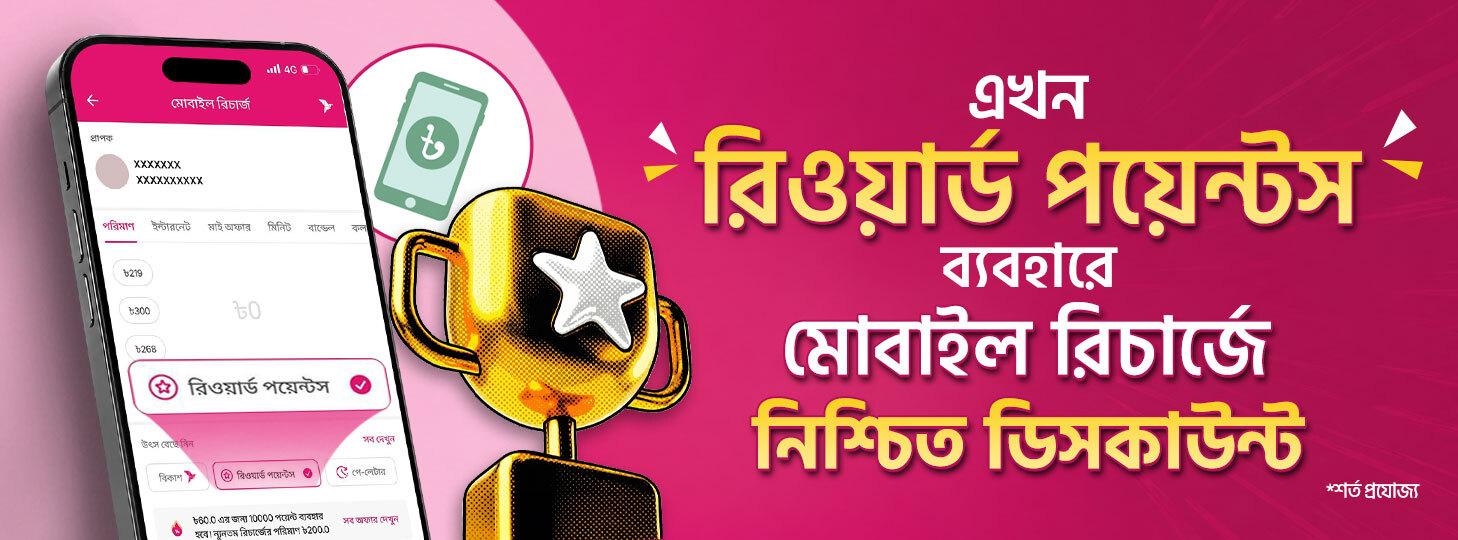 Recharge Now Using Reward Points!
Enjoy mobile recharge discounts more easily by using your Reward Points! When recharging your own or any other number, select ‘Reward Points’ as the source, check the available recharge offers, and get your discount instantly.
How to Use
-
Select ‘Reward Points’ as the source when making a Mobile Recharge to view all available recharge offers using the Reward Points applicable to you.
-
Select ‘Rewards’ from the ‘Quick Features’ section on the app home screen to check your current Reward Points balance.
-
Each offer has a specific minimum transaction amount. Go to Mobile Recharge, select the number you want to recharge, then choose ‘Reward Points’ as the source. Tap ‘See All Offers’ to see the available offers, select your preferred offer, view the details, and proceed.
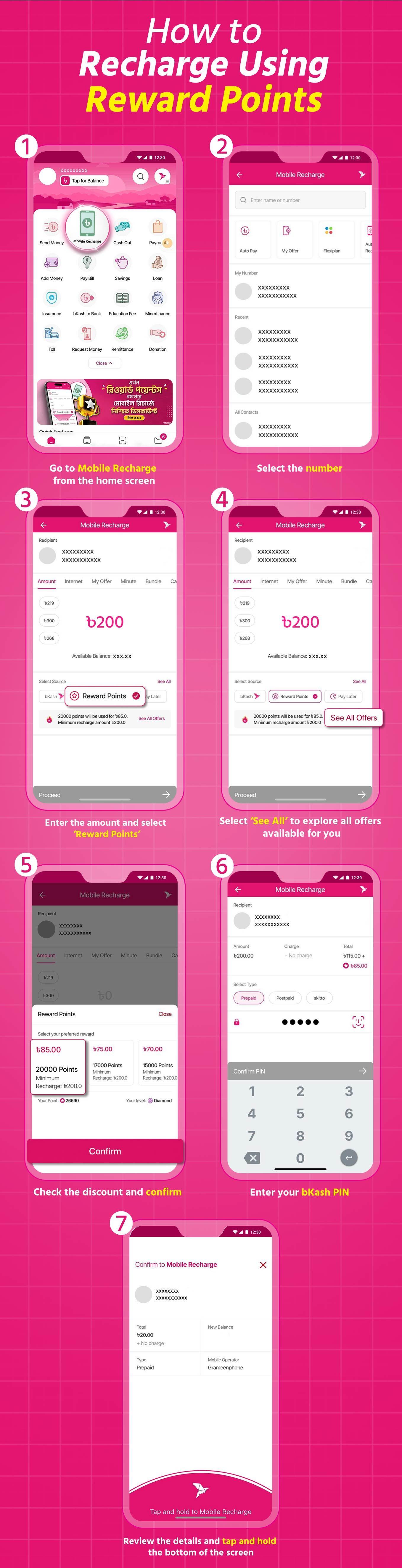
See How to Recharge Using Reward Points:
-
Go to Mobile Recharge from the home screen.
-
Select the number.
-
Enter the amount and select ‘Reward Points’.
-
Select ‘See All’ to explore all offers available for you.
-
Check the discount and confirm.
-
Enter your bKash PIN.
-
Review the details and tap and hold the bottom of the screen.
-
That’s it! Your recharge is complete using Reward Points.
Frequently Asked Questions
Question 1: What are ‘Reward Points’ for Mobile Recharge?
- You can now use your accumulated Reward Points to recharge your mobile number and get a discount. When making a Mobile Recharge, select ‘Reward Points’ as the source to directly enjoy the available offers.
Question 2: Where can I find the available offers?
- While making a Mobile Recharge, select ‘Reward Points’ as the source and tap ‘See All Offers’ to see all offers available to you.
Question 3: Where can I see my accumulated Reward Points in the bKash App?
- Select ‘Rewards’ from the ‘Quick Features’ section on the app home screen to check your current Reward Points balance. You can also check your Reward Points balance from the ‘My bKash’ section and the ‘All Offers’ section under the ‘Service Source’ option in Mobile Recharge.
Question 4: Is there a minimum transaction amount for using Reward Points on Mobile Recharge?
- Each offer has a specific minimum transaction amount. Go to Mobile Recharge, select the number you want to recharge, then select ‘Reward Points’ as the source. Tap ‘See All Offers’ to see the available offers, select your preferred offer, view the details, and proceed.
Question 5: Can I return or exchange an offer for another offer after accepting it?
- No. Once an offer is accepted, it cannot be returned, exchanged, or converted into another offer.